
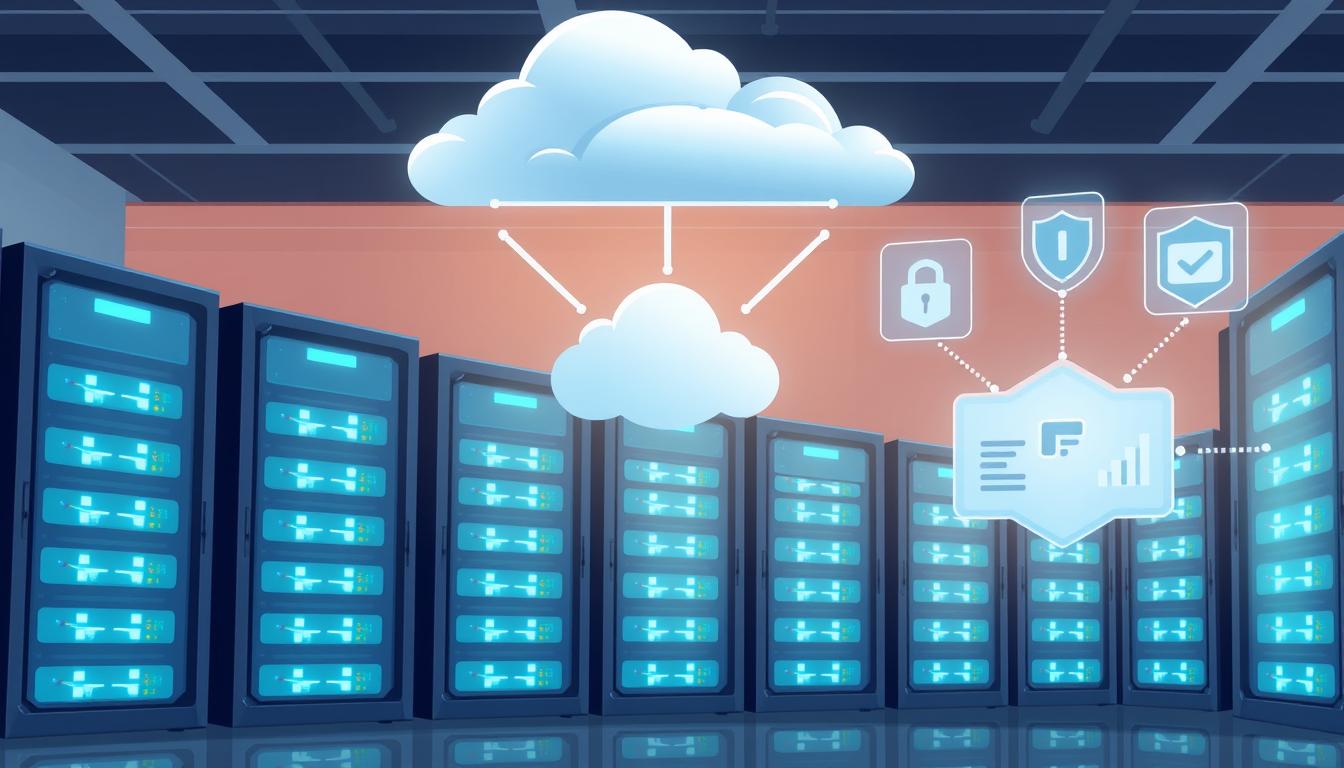
Did you know that 60% of small businesses that face a data breach fail within six months? In today’s world, where everything is digital, keeping your data safe is more important than ever. This fact shows how crucial it is to have strong server cloud backup solutions to protect your business’s vital data.
As more businesses rely on digital assets, having a solid disaster recovery plan is key. It helps keep your business running smoothly, even when things go wrong.
In this article, we’ll look at the top server cloud backup solutions out there. We’ll talk about their main features and benefits. From managed services that offer full support to new technologies that boost data safety, we’ll help you find the best fit for your business. Let’s explore how these solutions can protect your business and make it more resilient.
Key Takeaways
- 60% of small businesses affected by a data breach cease operations within six months.
- Reliable server cloud backup solutions are crucial for maintaining data security.
- Implementing disaster recovery strategies enhances business continuity.
- Managed services offer comprehensive support for backup needs.
- Choosing the right solution depends on understanding specific organizational requirements.
- Continuous assessment of backup solutions is vital for adapting to evolving threats.
Understanding Server Cloud Backup Solutions
In today’s digital world, knowing about server cloud backup solutions is key for businesses. These solutions automatically save important data in remote cloud places. This makes data safer and easier to get to. With more people working from home, having good cloud backup plans is more important than ever.
What is Cloud Backup?
Cloud backup, also known as online backup, stores data on cloud servers. It makes sure data is safe by copying it regularly. Important parts of cloud backup include:
- Storage across multiple locations for better reliability
- Automated backups to make things easier
- Scalability to grow with data needs
- Robust security measures to keep data safe
- Efficient data recovery for quick fixes
Importance for Businesses
Server cloud backup solutions are vital for keeping businesses running smoothly. They protect against data loss, helping companies bounce back fast from problems like cyberattacks or natural disasters. Cloud backup also makes managing data easier, letting businesses:
- Restore data quickly after a problem
- Meet legal and regulatory needs
- Protect all kinds of data fully
By adding cloud backup to disaster recovery plans, companies can better prepare for risks. They can test plans, train staff, and keep digital assets safe. This shows how crucial data security is for businesses today.
Key Features to Look For
When looking at server cloud backup solutions, it’s key to find features that boost security and ease of use. Features like data encryption, versioning, and ease of use are crucial. They help keep your data safe and easy to get back when needed.
Data Encryption
Data encryption is vital for keeping information safe during both sending and storing. With more cyber threats, encrypting data is not just a good idea but a must. It keeps your backups safe and meets industry standards. Use server cloud backup solutions with strong encryption methods like AES-256 to protect your backups.
Versioning
Versioning is key for good data recovery management. It lets you go back to older file versions if needed. This is helpful for fixing mistakes or file damage. As data grows, being able to go back to earlier versions saves time and effort.
Ease of Use
The simplicity of a backup solution affects how well teams use it. A simple interface means less training time. This is great for businesses moving to cloud computing and looking for easy backup solutions.
| Feature | Importance | Impact on Business |
|---|---|---|
| Data Encryption | Protects sensitive data | Ensures compliance and reduces breach risk |
| Versioning | Restores deleted or corrupted files | Improves recovery times and efficiency |
| Ease of Use | Simplifies backup management | Enhances team productivity |
Top Server Cloud Backup Solutions in Australia
In Australia, businesses face many server cloud backup options to protect their data. Acronis, Veeam, and Backblaze lead the pack. Each offers special features for different business needs.
Acronis Backup
Acronis is a top choice for cloud backup. It offers advanced features like active ransomware protection and secure storage in Australia. It also has multi-factor authentication and top encryption.
The interface is easy to use. This makes it simple for all staff to access while keeping data safe from threats.
Veeam Backup & Replication
Veeam is known for its strong disaster recovery. It works well with many environments, great for big and medium-sized companies. It’s praised for easy system restoration and wide backup options.
This includes full, incremental, and differential backups. It gives businesses the flexibility they need in managing their data.
Backblaze Business Backup
Backblaze is an affordable option with unlimited storage for businesses. It’s simple and easy to use. This lets employees focus on their main tasks without worrying about data loss.
Backblaze is known for its strong online backup. It’s a favorite for businesses looking for cost-effective and easy data protection.
| Solution | Key Features | Suitability |
|---|---|---|
| Acronis | Ransomware protection, multi-factor authentication | Data-intensive businesses requiring strong security |
| Veeam | Disaster recovery, diverse environment support | Medium to large enterprises |
| Backblaze | Unlimited storage, ease of use | Small to medium businesses looking for affordability |
Benefits of Implementing Cloud Backup
Cloud backup solutions offer many benefits for businesses. They make operations more efficient and protect data better. Companies that use these systems see many advantages that help them succeed.
Cost Savings
One big cloud backup benefit is saving money. Switching to cloud storage cuts down on costs. It makes budgeting easier and reduces the need for big storage spaces.
This move to cost-effective solutions helps businesses use their resources better.
Increased Scalability
Cloud environments grow with your business. They adapt to changing data needs easily. This means you can handle more data without straining your resources.
Being able to scale up or down is key to keeping your business running smoothly.
Better Data Recovery
Cloud backup also means faster data recovery. Lost or damaged data can be restored quickly, often in minutes. This is thanks to reliable systems that ensure data is safe.
Using these services helps make disaster recovery plans stronger. It makes businesses more resilient.
Great cloud backup services help businesses meet rules and regulations. This lets them focus on their main work. By using these solutions, businesses can work more efficiently and improve their overall strategy.
Comparing On-Premise vs. Cloud Backup
It’s important to know the differences between on-premise and cloud backup solutions. Each has its own benefits and drawbacks. These can greatly affect how a business stores and recovers data.
Pros and Cons of On-Premise Solutions
On-premise backup solutions store data on local servers or devices. They offer several benefits:
- Greater control over data and infrastructure, allowing for specific customization according to business needs.
- Improved retrieval times for local backups, enhancing operational efficiency during recovery.
- The ability to set backup frequency and storage parameters based on individual requirements.
But, on-premise systems also have some downsides:
- Susceptibility to damage, theft, or human error, which can jeopardize data integrity.
- Requirement for dedicated IT resources, leading to increased operational costs.
- Limited storage capacity, which restricts scalability as data needs grow.
When to Choose Cloud Backup
Cloud backup solutions store data off-site with third-party providers. This offers many benefits:
- Unlimited storage capacity, allowing businesses to expand without the need for significant upfront investments.
- Enhanced security features, including file encryption and multi-factor authentication, ensuring data protection.
- Accessibility anytime, anywhere, which supports remote work and collaboration.
Cloud backup is especially good for business continuity:
- In case of disasters, data recovery can occur quickly on new devices, minimizing potential revenue loss.
- Automated backup processes ensure that files remain up-to-date, fostering seamless collaboration among users.
- Predictable pricing models based on storage or user numbers help businesses manage budget allocations effectively.
Choosing between on-premise and cloud backup depends on a business’s specific needs. It also depends on regulatory requirements and growth plans.
Security Considerations in Cloud Backup
In today’s digital world, keeping data safe is key for any business using cloud backup. These services must follow strict rules to protect company data and keep customers’ trust. It’s important to know about data security and follow rules to keep information safe.
Data Protection Regulations
Companies must follow rules like GDPR and HIPAA to keep personal data safe. Breaking these rules can hurt a company’s reputation and lead to big fines. To stay safe, businesses need to follow these rules and make their cloud backup more secure. This includes using strong passwords, teaching employees about cloud security, and watching for security threats.
- Utilizing strong and complex passwords to limit unauthorized access.
- Educating employees on cloud security protocols to minimize vulnerabilities.
- Monitoring access logs to quickly detect potential security threats.
Compliance Standards
Following compliance standards is crucial for cloud backup safety. Standards like ISO 27001 help create a strong information security system. Also, following the 3-2-1 backup rule adds extra protection. This rule means having three copies of data, stored on two types of media, with one copy offsite.
| Compliance Standard | Description | Importance |
|---|---|---|
| GDPR | Regulates data protection and privacy in the European Union | Ensures personal data rights and data processing transparency |
| HIPAA | Sets standards for sensitive patient data protection in healthcare | Protects patient information from unauthorized access |
| ISO 27001 | Establishes requirements for an information security management system | Enhances data security governance and risk management |
Cloud services like VITG help businesses follow these rules. With data breaches a big threat, companies must focus on keeping data safe. This means following data protection rules and keeping their cloud backup secure.
Assessing Backup Speed and Performance
Cloud backup solutions need to be fast and efficient. It’s important to know what affects these aspects. This knowledge helps keep operations running smoothly and data safe.
Companies should look at different metrics to see how well their backup plans work. This helps them make sure their data is safe and can be quickly recovered if needed.
Factors Affecting Backup Speed
Several things can slow down backups:
- Internet Bandwidth: If your internet speed is low, uploading data will take longer.
- Data Volume: The more data you have, the longer it takes to back it up.
- Data Type: Some data types are more complex and take longer to process.
By keeping an eye on these factors, you can make your backups faster. It’s important to understand how they interact and adjust your plans or setup as needed.
Measuring Performance Metrics
To check if your backups are working well, look at these metrics:
- Recovery Time Objective (RTO): This is how long you can afford to be down before it affects your work.
- Recovery Point Objective (RPO): This is how far back you need to be able to recover your data.
- Backup Success Rate and Failure Rate: This shows how often your backups are successful, helping you spot problems.
Tracking these metrics helps you see if your backup plan is up to par. Regular checks ensure your data can be quickly recovered when it matters most. For more tips on improving server backups, check out cloud solutions.
How to Choose the Right Solution for Your Business
Choosing the right server cloud backup solution is important. It starts with understanding your business needs. You need to think about how sensitive your data is, how much you have, and what you need to recover.
Software like Shopify and Trello can help with backups. They make cloud computing solutions more effective.
Assessing Business Needs
First, figure out what you really need. This helps you find the best backup solutions. Consider a few things:
- Data Sensitivity – How secure does your data need to be?
- Volume of Data – How much data do you have now and will have in the future?
- Recovery Requirements – How quickly and completely do you need to recover from data loss?
Evaluating Service Providers
After that, look at service providers. Pick one with a good track record in cloud backup. Look at these things:
- Customer Support – How good is their customer support?
- Security Features – Does their backup use strong encryption and follow the law?
- Performance Metrics– How well do they handle backups for different sized networks?
- Integration Capabilities – Can they work well with your current systems and apps?
ReadySpace Cloud Drive offers scalable cloud solutions. They meet different business needs and keep your data safe.
Setting Up a Server Cloud Backup
Creating a solid cloud backup setup is key for businesses that need to keep their data safe. The first steps set the stage for managing backups well. You start by picking important features and setting up schedules for automatic backups. Being clear here helps follow best practices to safeguard your business data.
Initial Configuration Steps
The first thing is to make a Recovery Services vault, especially on platforms like Microsoft Azure. You’ll need to create a passphrase to keep your data safe. Remember, vault credentials expire after 10 days, so act fast. It’s also wise to follow the 3-2-1 backup rule: have three copies of your data, two on different devices, and one offsite.
Combining local and offsite backups is smart. It makes your data easy to get to and safe from local disasters. Many services now offer hybrid backup options. This helps companies manage their backups better and lowers the risk of losing data.
Common Pitfalls to Avoid
When setting up a cloud backup, some common mistakes can mess up your plan. Forgetting to secure access can leave your data open to threats. It’s also important to test how well you can recover your data. Learning about enterprise backup services and planning your budget well are crucial for a good backup system.
| Feature | Description | Benefits |
|---|---|---|
| Recovery Services Vault | A cloud storage solution for backup data. | Secures data with easy recovery options. |
| Passphrase Creation | Generates encryption for backup files. | Enhances security against unauthorized access. |
| 3-2-1 Backup Rule | Maintaining multiple copies of data. | Prevents data loss in various scenarios. |
| Hybrid Backup Solution | Combines local and cloud backups in one process. | Improves efficiency and redundancy. |
The Role of Customer Support in Cloud Backup
Customer support is key to the success of cloud backup solutions. It helps businesses avoid downtime and solve data management problems. Choosing services with good cloud backup support is crucial for smooth operations. Expert customer service also helps by making technical support easy and efficient.
Importance of Responsive Support
Responsive technical support is vital for data security. It helps reduce worries about data loss or system failures. Companies facing issues with old hardware or software learn the value of dedicated support.
Having quick access to support means businesses can keep running without pause.
Available Support Channels
Businesses get better cloud backup services with various support options. These include:
- Email support for detailed queries and asynchronous communication.
- Phone support for urgent issues requiring real-time resolution.
- Live chat for instant guidance while navigating technical challenges.
- Online knowledge bases or forums offering self-service options for troubleshooting.
Having multiple support channels makes a big difference in data security. This approach helps businesses stay operational and grow.
| Support Channel | Response Time | Suitability |
|---|---|---|
| Email Support | 24-48 hours | Detailed inquiries, non-urgent issues |
| Phone Support | Immediate | Urgent problems, real-time assistance |
| Live Chat | Instant | Quick guidance, easy navigation |
| Online Knowledge Base | Self-service | General issues, troubleshooting tips |
In summary, a good cloud backup solution needs strong customer support. This ensures businesses are resilient and efficient. It helps manage data security well and supports growth through effective technical support.
Future Trends in Cloud Backup Solutions
The world of cloud backup is changing fast. New technologies are making big changes. They are improving how we keep and get back data.
Emerging Technologies
Artificial intelligence and machine learning are leading the way. In 2024, AI will be key in cloud backup. It will help predict problems and find threats early.
Modern backup systems also use new methods. They make getting data back faster and reduce downtime. This is thanks to incremental backups and advanced deduplication.
More companies are using different cloud services together. This makes it easier to use the best of each cloud. It also means better security and following rules like GDPR and HIPAA.
Predictions for the Market
Cloud backup will keep getting better. Next, we’ll see solutions that grow with your data needs. This means you can add more storage when you need it.
Serverless and edge computing will also become more popular. They make things cheaper and faster by processing data closer to where it’s used. IoT technology will also help, especially in fields like manufacturing and healthcare.
Kubernetes and containerization will make apps easier to manage. This will change how we host apps in the cloud.
Cost Analysis of Server Cloud Backup Solutions
Understanding the cost of server cloud backup solutions is key for business leaders. They need to protect their data efficiently and reliably. Cloud backup prices vary based on data volume, features, and service levels.
For example, Pay-As-You-Go (PAYG) models are flexible. They charge only for what you use. This is great for businesses with changing storage and data needs.
Pricing Models
When looking at cloud backup services, it’s important to know the pricing options. Some charge for storage space, while others charge for data transfer or bandwidth. Azure Backup, for instance, prices based on data size before it’s compressed and encrypted.
Businesses can save money by setting data retention policies. These policies decide how long data is kept.
Budgeting for Backup Services
Good budgeting for backup services looks at current and future data needs. It’s also important to meet data protection regulations. A detailed cost analysis helps businesses choose wisely.
This ensures the chosen solution meets operational needs and security standards. For more on improving IT security, check out ReadySpace Managed Services.
FAQ
What are server cloud backup solutions?
Server cloud backup solutions are services that automatically save your data in remote cloud spaces. They protect your data from loss and enhance security and disaster recovery.
Why is data security crucial for businesses?
Data security is key for businesses. It keeps sensitive information safe from breaches and unauthorized access. It also helps meet regulations and builds trust with customers.
How can cloud backup improve business continuity?
Cloud backup solutions help businesses by making data recovery quick and easy. This ensures operations can start again fast after a data loss or disaster.
What key features should I prioritize when selecting a cloud backup solution?
Look for data encryption, versioning, and ease of use. These features protect your data, allow for file history, and make the system easy to manage.
How does scalability benefit my server cloud backup solution?
Scalability lets businesses grow their storage needs as data increases. It’s efficient for changing workloads and saves on physical infrastructure costs.
What are the advantages of using Acronis Backup?
Acronis Backup offers advanced data protection and reliable backup options. It’s a great choice for businesses focused on security and disaster recovery.
How does cloud backup help with cost savings?
Cloud backup reduces the need for physical storage and management costs. This lets businesses use their resources better while keeping data secure.
What potential pitfalls should I avoid when setting up a cloud backup?
Avoid neglecting secure access and not testing recovery procedures regularly. These steps are crucial for a reliable backup environment and data safety.
Why does customer support matter for cloud backup solutions?
Good customer support helps manage data challenges quickly. It offers help through live chat, email, and phone, keeping businesses running smoothly.
What are some emerging technologies affecting cloud backup solutions?
New technologies like AI, machine learning, and analytics are improving automation and data management. They’re driving innovation in cloud backup solutions.
How can I evaluate the pricing model of cloud backup services?
Consider data volume, features, and service tiers when evaluating pricing. Also, budget for future data growth to meet data protection regulations.
Comments are closed.