
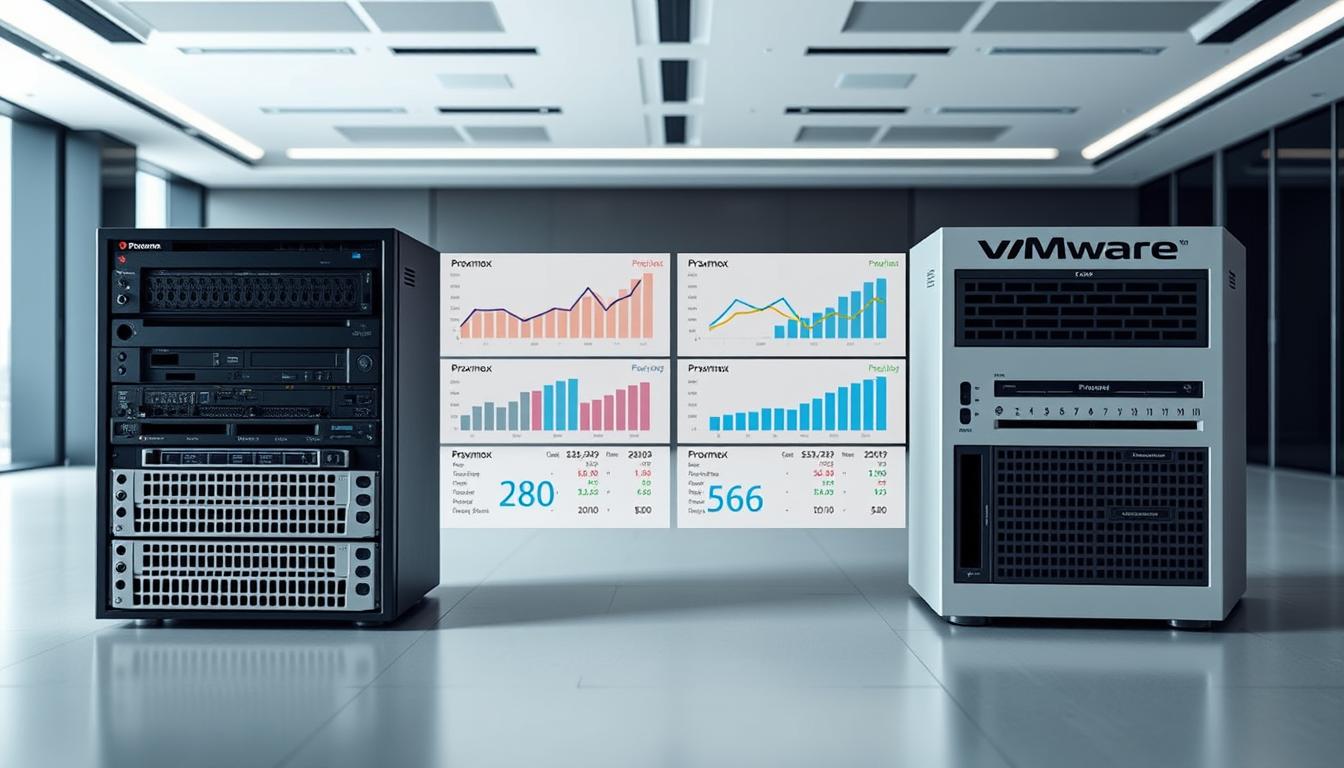
Surprising fact: since Broadcom’s acquisition, many customers report licence increases of roughly 2x–5x for equivalent capability tiers — a shift that changes the scale of any IT budget overnight.
We’ll walk through a practical comparison for Australian businesses that need clear answers. Our focus is total economic impact — licences, subscriptions, support and ongoing admin time — so you can make a confident choice.
Key differences matter: one platform offers a free core hypervisor with optional node subscriptions and a native web UI; the other provides a polished management appliance, 24×7 enterprise SLAs and bundled subscriptions that have grown pricier since the acquisition.
We compare features that drive expense and risk — HA, live migration, DRS, containers, storage and backup — and assess how management and support models affect administration and performance.
Key Takeaways
- Evaluate total cost of ownership — licences, support and operational time matter as much as sticker price.
- Post‑acquisition licensing shifts may favour open‑core models for predictable spending.
- Management experience impacts labour hours — one UI needs no separate appliance.
- Support SLAs change risk profiles — check 24×7 options against business needs.
- Storage and backup choices drive ongoing spend and complexity.
Why virtualisation costs are under the microscope in Australia right now
Sudden licence and subscription changes have shifted how Australian IT teams budget for virtualization. Broad vendor moves removed previously free entry points and pushed many organisations into renewed procurement cycles.
What this means: licensing and subscription shifts can double or triple renewal figures reported by some customers. That pressure forces businesses to prioritise governance, cash flow and predictable spend.
- Hardware compatibility lists now affect refresh timing and limit choices—this raises capital planning questions for enterprises.
- Support expectations are under review—24×7 SLAs may be necessary for critical systems, while business‑day support suits non‑production environments.
- Storage and backup line items are scrutinised—teams weigh bundled options against open alternatives and in‑house skills.
We recommend mapping features used to published prices and separating cost from value. This helps avoid over‑buying licences and lets organisations match their operating model to long‑term resilience and compliance needs.
How to evaluate total cost: licensing, support, migration and operational overheads
A pragmatic TCO review starts by splitting upfront licences from recurring subscription and support fees. This lets us see one‑time project spend versus steady‑state run costs.
Upfront and recurring licensing or subscription fees
We list one‑off migration work, appliance purchases and initial licences separately from annual subscriptions. Vendor packs (Cloud Foundation, vSphere Foundation, vSphere Standard and Essentials Plus) now influence renewal cycles—some customers report 2x–5x increases after recent changes.
Support SLAs, access, and incident response windows
Support matters: 24×7 enterprise SLAs carry a premium. Node‑based commercial support often offers business‑day response times. Choose SLA levels that match your recovery windows and revenue at risk.
Hidden costs: migration, retooling, training and ecosystem fit
Migration can be significant for hundreds of workloads—plan people, test windows and rollback steps. Include training, retooling backup and monitoring tools, and automation work when you model TCO.
| Area | Typical impact | What to budget | Decision driver |
|---|---|---|---|
| Licensing & subscription | Recurring fees per node or pack | Annual renewal + tiered packs | Feature needs and cash flow rhythm |
| Support SLA | Response time and escalation | Premium for 24×7 vs business‑day | Risk tolerance and outage cost |
| Migration effort | Project labour and downtime | Discovery, testing, rollback windows | Number of workloads and integrations |
| Operational overhead | Patching, automation, admin hours | Ongoing staff time and tools | Management efficiency and skillset |
- Quantify risk: model outage impact under each support option.
- Use scenario modelling to stress‑test fees and capability gaps—compare proxmox vmware parallels where relevant.
Proxmox vs VMware cost: pricing models and what they really mean
Choosing a platform now hinges on whether bundled packs actually deliver the features you use. The market has moved from simple licences to subscription‑led programmes that bundle management, networking and storage entitlements.
“Many customers reported licence increases of roughly 2x–5x after recent vendor consolidation.”
VMware’s shift to subscription packs post‑Broadcom
VMware ended the free hypervisor edition and consolidated offerings into Cloud Foundation, vSphere Foundation, vSphere Standard and Essentials Plus. These packs include bundled capabilities such as automation, SDS and advanced networking.
Implication: packs simplify entitlement management but can force businesses to pay for unused features. Large enterprises may gain value if they fully leverage Aria, NSX and vSAN; smaller teams often find the bundles heavy.
Proxmox’s free core and node‑based subscription options
The alternative platform offers a free core install with optional per‑node subscriptions for enterprise updates and business‑day support. This lets businesses start small and add access and support only when needed.
Budgeting for SMEs vs large enterprises
For SMEs, a light licensing approach reduces cash burn and keeps renewal predictability tight. Essentials Plus remains an entry option for firms that need centralised management and HA.
For large enterprises, pack selection should map to existing tooling and governance. Plan hardware and configuration to avoid per‑CPU or per‑core surprises as you scale.
| Buyer | Model fit | Key decision |
|---|---|---|
| SME | Node subscriptions or essentials pack | Predictable, low annual renewals |
| Large enterprises | Subscription packs with ecosystem | Leverage platform capabilities fully |
| Risk‑averse ops | 24×7 SLA inclusion | Budget for premium support |
- Tip: map required features to tiers before buying.
- We recommend modelling total programme spends — licences, training and integration — not just sticker figures.
Feature comparison that impacts TCO: HA, DRS, live migration, containers
How HA, automated placement and container support are implemented changes operational effort and risk. We focus on the features that drive admin hours, downtime risk and ongoing spend.
vSphere HA, DRS and vMotion versus HA and live migration
Both platforms provide HA and live migration for resilience and rapid workload moves. VMware pairs these with DRS to automate resource placement and reduce after‑hours firefighting.
By contrast, the alternative offers core HA and migration but lacks native DRS. Admins compensate with policies, tuning and scripts—this increases manual work but keeps licence overhead lower.
LXC containers versus Kubernetes/Tanzu
LXC containers come bundled for lightweight Linux workloads, simplifying footprints and lowering runtime complexity. VMware’s Tanzu targets enterprise Kubernetes with richer governance and ecosystem depth.
- DRS reduces manual balancing—less risk, fewer support hours.
- LXC suits mixed VM/container environments where simplicity matters.
- Storage and interface choices affect setup time—vSAN guides more, Ceph requires more skill.
| Capability | Automation | Operational impact |
|---|---|---|
| HA & migration | Built‑in | Essential resilience, low admin |
| Scheduling | DRS (automated) / policies (manual) | DRS cuts firefighting; manual needs more tuning |
| Containers | LXC / Kubernetes | Simpler or cloud‑native at scale |
Map required features to your systems and migration plans. Pay for premium orchestration only if it reduces measurable operational overhead.
Management experience and admin time: vCenter versus native Proxmox UI
How teams interact with the management interface alters both speed and error rates.
vCenter offers a polished HTML5 client with guided wizards that speed up complex configuration tasks. That centralised approach reduces repetitive steps and lowers human error for busy administrators.
The native web UI alternative requires no separate management appliance. It gives direct access to hosts and the cluster and keeps system complexity down. Built‑in CLI, REST API and 2FA support standard automation patterns.
Automation and tooling differ. One platform integrates with enterprise tools and vendor ecosystems for policy‑driven workflows. The other exposes APIs that favour scripting, Terraform and community tools.
| Area | Advantage | Operational impact |
|---|---|---|
| Configuration wizards | Guided flows | Fewer errors, faster onboarding |
| Management appliance | Single pane | Centralised control, single point of access |
| API & CLI | Scriptable tools | Flexible automation, lower infra footprint |
| Support model | Integrated inventory | Simpler escalation vs community channels |
We align choices to your operating model — if your users need guided workflows, choose the polished UI. If you prefer minimal infra and scriptable control, the lighter web UI reduces overhead and simplifies security.
Storage architecture and backup economics
Storage design and backup choices determine how quickly you recover and how much you pay over time.
vSAN’s simplicity accelerates time‑to‑value inside a management appliance. It is easy to provision and reduces configuration errors for fast, predictable delivery.
Ceph’s flexibility scales by adding nodes and OSDs. It can be highly efficient at scale, but it needs deeper skills and operational discipline to deliver steady performance.
Backup strategies and ecosystem parity
Enterprise backups use VADP/CBT through mature partner tools. By contrast, the native Proxmox Backup Server offers incremental‑forever snapshots and built‑in verification for tight integration.
Good news: Veeam announced support for the alternative platform from Q3 2024, bringing immutable backups and narrowing ecosystem gaps.
- Balance licensing and model implications against staff skills and operational run‑books.
- Consider data lifecycle, retention and RTO—native PBS often suffices; partner tools add advanced workflows.
- Design for failure domains and realistic restore tests to keep long‑term costs down.
| Option | Strength | Operational note |
|---|---|---|
| vSAN | Simple provisioning | Fast time‑to‑value inside vCenter |
| Ceph | Flexible scale | Requires skills and design discipline |
| Backup tools | Mature ecosystem | Partner subscriptions vs native server |
“Independent tests show the alternative storage stack can deliver strong peak performance — design matters.”
Performance and scalability considerations that influence cost
How systems perform under peak and steady loads drives real operational spend. We focus on measurable metrics — throughput, latency and predictable behaviour — so budget aligns with outcomes.
Storage performance insights from independent testing
Independent benchmarks show the alternative platform delivering higher peak results in most tests — roughly 50% higher peak performance, ~30% lower latency and ~38% higher peak bandwidth in Blockbridge’s suite.
Important note: the gap often narrows under typical production loads. Test against your workloads before assuming bench gains map to steady‑state savings.
“Independent storage benchmarks indicate strong peak performance potential; evaluate your own workloads.”
Scaling clusters, nodes and storage: operational impact
Both platforms scale by adding nodes, but the operational pattern differs. One provides guided, wizard‑led growth. The other gives fine‑grained control and more admin involvement.
- Published maximums (for example, very large VM sizes) give confidence for mission‑critical servers.
- Network and storage fabrics drive most performance issues — design matters more than hypervisor choice.
- Ceph-style expansion adds OSDs/nodes for capacity and throughput; vSAN grows under a management appliance with simpler steps.
| Area | Operational note | Impact on budgeting |
|---|---|---|
| Peak performance | Benchmarks show strong burst capability | May reduce short‑term hardware needs |
| Steady‑state throughput | Often closer between platforms | Plan for sustained IO in capacity models |
| Scaling operations | Wizard vs manual expansion patterns | Admin hours and training affect ongoing spend |
| Configuration governance | Templates and baselines reduce variance | Lower incident rates and predictable resource use |
Ecosystem, integrations and tooling: the cost of fit
Platform fit is often decided by which management and backup tools already exist in your estate.
Enterprise-grade bundles—Aria, NSX and vSAN—bring broad third‑party integrations that lower integration risk for large organisations.
By contrast, the alternative ecosystem is expanding fast. Modern backup vendors added support and Veeam announced Proxmox VE support in Q3 2024 with immutable backups. This narrows gaps for common solutions.
- Integration breadth: reduces project friction for complex estates.
- Automation & analytics: features delivered by partners often cut operational hours.
- Management cohesion: unified access models and single support channels streamline response.
“Validate monitoring, backup, CMDB and SIEM toolchains so your choice does not fragment operational data.”
Access governance and RBAC matter for audits. Align identity providers so teams keep consistent control across environments.
| Area | Enterprise bundle | Growing open ecosystem |
|---|---|---|
| Integration risk | Low — built‑in partners | Falling — community and vendor support improving |
| Operational savings | High when features are used | Moderate — scripts and tools reduce manual work |
| Support model | Single vendor, unified access | Mixed — vendor + community channels |
| Hybrid environments | Tooling that spans platforms | Requires connector work and testing |
Our advice: price the integration premium against the flexibility dividend for your businesses. Map required tools early and validate end‑to‑end workflows before committing.
Support models, SLAs and risk tolerance for Australian businesses
For many Australian organisations, the support model defines resilience more than base feature sets. We assess response windows, access paths and vendor accountability so you can match support to risk.
24x7x365 expectations, response times and business‑day support
Enterprise contracts offer 24x7x365 SLAs and formal escalation paths. These are designed for systems that must stay online at all hours.
Business‑day plans typically promise next‑business‑day or within‑day responses. They suit non‑critical workloads and teams that accept after‑hours tolerance.
Community strength versus enterprise contracts
Community forums and public documentation are powerful. They speed fixes and offer automation snippets that reduce effort.
- We align SLA levels to your risk appetite and recovery expectations.
- Large enterprises often need vendor accountability and coordinated incident management.
- For many businesses, strong community access offsets formal support for lower‑risk systems.
| SLA | Typical response | Best for | Operational note |
|---|---|---|---|
| 24x7x365 enterprise | Immediate to 1 hour | Critical production | Vendor escalations and formal RCA |
| Business‑day commercial | Within business hours / next day | Non‑critical services | Lower subscription; rely on in‑house fixes |
| Community & forums | Variable | Lab and dev environments | Fast community patches; no formal SLAs |
“Match the support model to on‑call realities, compliance needs and who owns incident response — that choice drives long‑term resilience.”
When comparing proxmox vmware or other platforms, explicitly cost and after‑hours risk into your plan. We focus on outcomes — predictable access to fixes, measured MTTR and clear ownership — so your support choice reflects the business, not brand preference.
Security and compliance posture across platforms
Defensible security starts with layered controls across hypervisor, network and backup tooling.
We map platform security to outcomes — identity, logging, recovery and audit trails. This keeps compliance focused on results, not brand names.
The lighter hypervisor offers built‑in firewalls at datacentre, node and VM levels and hardened LXC with AppArmor or SELinux. These defaults give practical protection for everyday data and reduce configuration drift.
The enterprise stack includes NSX micro‑segmentation, vSphere Trust Authority and broader analytics via tools such as vRealize Log Insight. That approach suits regulated environments that need east‑west controls and deep telemetry.
Immutable backups — now supported via Veeam for the lighter platform — close a key resilience gap. Update models differ: a fast community cadence offers transparency, while vendor update managers automate patching; both meet standards when governed correctly.
| Capability | Lighter platform | Enterprise platform |
|---|---|---|
| Network segmentation | Node/VM firewalls | NSX micro‑segmentation |
| Host hardening | AppArmor / SELinux | Trust Authority & signed boot |
| Data protection | Immutable backups (Veeam support) | Integrated backup ecosystem |
| Patch model | Frequent community updates | Vendor Update Manager (VUM) |
Our recommendation: align identity, access controls and logging to your controls framework. Enforce hardware and firmware governance and define patch windows in your support contracts so remediation speed is measurable.
Migration planning: timelines, tools and realistic effort
Effective migrations start with an inventory, not with conversion commands. We begin by mapping every server, storage footprint, network flow and dependency. This gives realistic timelines and highlights high‑risk workloads.
Export/import paths and automation options
Export/import often remains the simplest path. Shut down the VM, convert qcow2 to vmdk with qemu-img, create an OVF and import to the target environment. The reverse uses supported converters.
Automation reduces toil — script conversions, metadata mapping and post‑import configuration. Use CI scripts and management APIs to speed repetitive steps, but validate each system after import.
Downtime, testing and rollback plans
Budget downtime conservatively. Run rehearsals, define go/no‑go checkpoints and take verified snapshots or immutable backups. Test restores and performance baselines before final cutover.
| Activity | Key action | Outcome |
|---|---|---|
| Inventory | Map VMs, data churn, dependencies | Accurate timelines |
| Conversion | qemu-img → vmdk + OVF | Interoperable images |
| Cutover | Rehearse, snapshot, rollback plan | Controlled downtime |
| Validation | Post‑import checks & perf baselines | Stable production |
“Automation reduces manual risk — but validation wins the migration.”
Tip: for proxmox vmware transitions, add buffer for unexpected driver or boot behaviour and keep clear change management so teams own acceptance criteria.
Who should choose what: scenarios for SMEs and large enterprises
The right choice depends less on marketing and more on who runs your systems at 2 a.m., the required SLAs and the integrations you must keep.
When Proxmox is the pragmatic choice
Choose the open‑core model when budgets are tight, the team is Linux‑savvy, and business‑day support is acceptable. The free core plus node subscriptions lets small businesses preserve HA and live migration while lowering recurring costs.
Hybrid approaches work well. Run new, greenfield workloads on the open stack while keeping deeply integrated systems on the established platform. This reduces licence pressure without exposing critical services to migration risk.
| Scenario | Who benefits | Key driver |
|---|---|---|
| SME with Linux skills | Small teams | Predictable licensing & low renewals |
| Large enterprise | Regulated orgs | 24×7 SLAs and deep integrations |
| Hybrid rollout | Mixed estates | Lower overall spend; phased migration |
We help you model both paths in proxmox vmware terms, run pilots and measure outcomes so the final choice matches your environment, compliance needs and team capability.
Conclusion
To finish, we set out clear next steps so you can test platforms against your workloads, governance and recovery objectives.
Key takeaway: both options deliver enterprise‑grade virtualization — choose by which features, support and ecosystem reduce risk for your business.
Map required features to licensing and subscription models. Test storage and backup workflows — measure throughput, restore time and admin effort. Match SLAs to real outage impact, not expectations.
Pilot before you buy: run short trials to capture performance, management overhead and resource use. Measure data flows, admin hours and integration gaps.
We’ll help craft a defensible plan — evidence‑based comparison, migration rehearsal and right‑sized solutions for Australian infrastructure.
FAQ
What are the main licensing and subscription differences between the two platforms?
Licensing varies — one platform moved to a more aggressive subscription model with bundled suites and per‑CPU or per‑VM metrics, while the other offers a free core hypervisor with optional node or support subscriptions. When budgeting, include recurring fees, access to management tooling and any add‑ons for features such as advanced networking or storage.
How should Australian businesses calculate total cost of ownership (TCO)?
TCO must include upfront licence or subscription fees, hardware, support SLAs, migration effort, staff training and ongoing operational overheads. Factor in backup and disaster recovery tools, storage architecture choices and the administrative time required to manage clusters and networks.
What hidden costs should we watch for during migration?
Hidden costs often come from retooling automation, refactoring workloads, consulting or professional services, testing and extended downtime windows. Training teams on new management consoles and scripting APIs also adds cost. Plan for contingency in timelines and budget.
How do high‑availability and live migration features affect cost and choice?
HA and live migration reduce downtime risk but can increase complexity and licensing or support needs. One solution bundles DRS and integrated clustering with its enterprise stack; the other provides HA and live migration at the hypervisor level with node‑based scaling. Assess how often you’ll use these features and their operational impact.
What role do containers and Kubernetes play in total platform value?
Container support changes deployment models and tooling costs. One approach favours LXC for lightweight containers and direct host integration; the other emphasises a Kubernetes distribution and Tanzu‑style tooling that may require additional licences or infra. Choose based on your app architecture and orchestration maturity.
How do management consoles compare for admin efficiency?
The enterprise platform offers vCenter‑style centralisation and mature automation integrations — useful for large teams and standardised processes. The alternative uses a native web interface with straightforward workflows and CLI options. Evaluate admin time, automation scripts and integration with your existing toolchain.
Which storage architectures influence long‑term expenses most?
A hyperconverged, vendor‑supplied SAN like vSAN simplifies operations but increases licensing spend. Open solutions such as Ceph offer flexibility and lower licence fees but require more ops expertise. Also consider storage performance, replication, and backup costs when designing capacity and SLAs.
What are the backup options and their economic trade‑offs?
Backup ecosystems differ — one has broad third‑party support (Veeam and similar) and strong VADP integration; the other provides a dedicated backup server offering incremental, deduplicated backups. Compare retention, restore SLAs, storage consumption and support contracts to estimate recurring costs.
How does platform performance scale with cluster size and storage choices?
Performance depends on storage tiering, network fabric and node hardware. Independent tests show differences under heavy IO and mixed workloads. Scaling clusters increases management overhead and may require additional licences or support tiers — budget for both hardware and operational growth.
Are ecosystem integrations and tooling a significant factor for enterprise selection?
Yes — integration with network security, monitoring, backup, and cloud management tools affects deployment speed and TCO. The large vendor has a rich set of certified integrations (NSX, Aria, third‑party partners); the alternative has a growing ecosystem and open APIs that reduce vendor lock‑in but might need custom engineering.
What support models should Australian businesses demand?
Define SLA requirements (24x7x365 vs business‑hours), response times and escalation paths. Enterprise contracts often provide rapid response and account management. Community or entry subscriptions reduce fees but increase risk for critical workloads. Align support level with business impact and compliance needs.
How do security and compliance compare between the platforms?
Both platforms meet strong security baselines, but differences exist in bundled security services, patch cadence and third‑party integrations. Review hardening guides, encryption options, role‑based access, and audit logging to ensure alignment with Australian regulations and internal risk policies.
What should a migration plan include to limit downtime and risk?
A practical plan includes discovery, compatibility testing, export/import paths, automation scripts, realistic downtime windows, rollback procedures and staged cutovers. Use pilot clusters, validate backups and measure performance to avoid surprises during full migration.
Which solution suits SMEs versus large enterprises?
For SMEs, a lean, lower‑fee model with straightforward management and optional paid support often offers the best value. Large enterprises may prioritise advanced orchestration, integrated networking, validated third‑party ecosystems and enterprise SLAs — accepting higher recurring fees for predictability and scale.
How do licensing changes from major vendors affect budgeting?
Vendor licensing shifts can introduce unexpected renewals or new subscription tiers. Regularly review contract terms, watch for per‑VM or per‑host metering changes and plan multi‑year budgets. Engage vendor reps and channel partners early to lock predictable pricing or explore alternative subscription models.
Comments are closed.